Tini Teddy - Safe Driving AI Companion
Tini (TEE-nee) is a voice-based AI driving companion that keeps drivers alert and engaged on the road.
During my first quarter in the MS in Human-Centered Design & Engineering program (Sep–Dec 2025), I worked with AJ Sangle, Jade Wang, and Juna Kim to identify drowsy driving as a critical problem, develop Tini as a solution, and present our work at a final showcase.
Brief & Background
Brief
In my User-Centered Design course, our team was challenged to design a solution without relying on a standalone app or website (though companion interfaces were allowed).
Background
We began by exploring the commuting experience broadly, which affects over 140 million U.S. workers daily. Our survey of 25 drivers revealed drowsiness as a major concern. Further research confirmed the severity: drowsy driving causes significant U.S. crashes and deaths. Existing solutions—caffeine, entertainment, reactive safety features—are often impractical or insufficient, revealing an opportunity for a proactive companion that keeps drivers alert throughout their journey.
Process
Selecting Our Focus
We evaluated several problem spaces and selected daily commuting due to its widespread impact.User Research
A survey of 25 drivers revealed drowsiness as a top concern, with many relying on audio entertainment to stay alert. Follow-up interviews with 8 drivers and social media listening across 24 sources explored this challenge more deeply.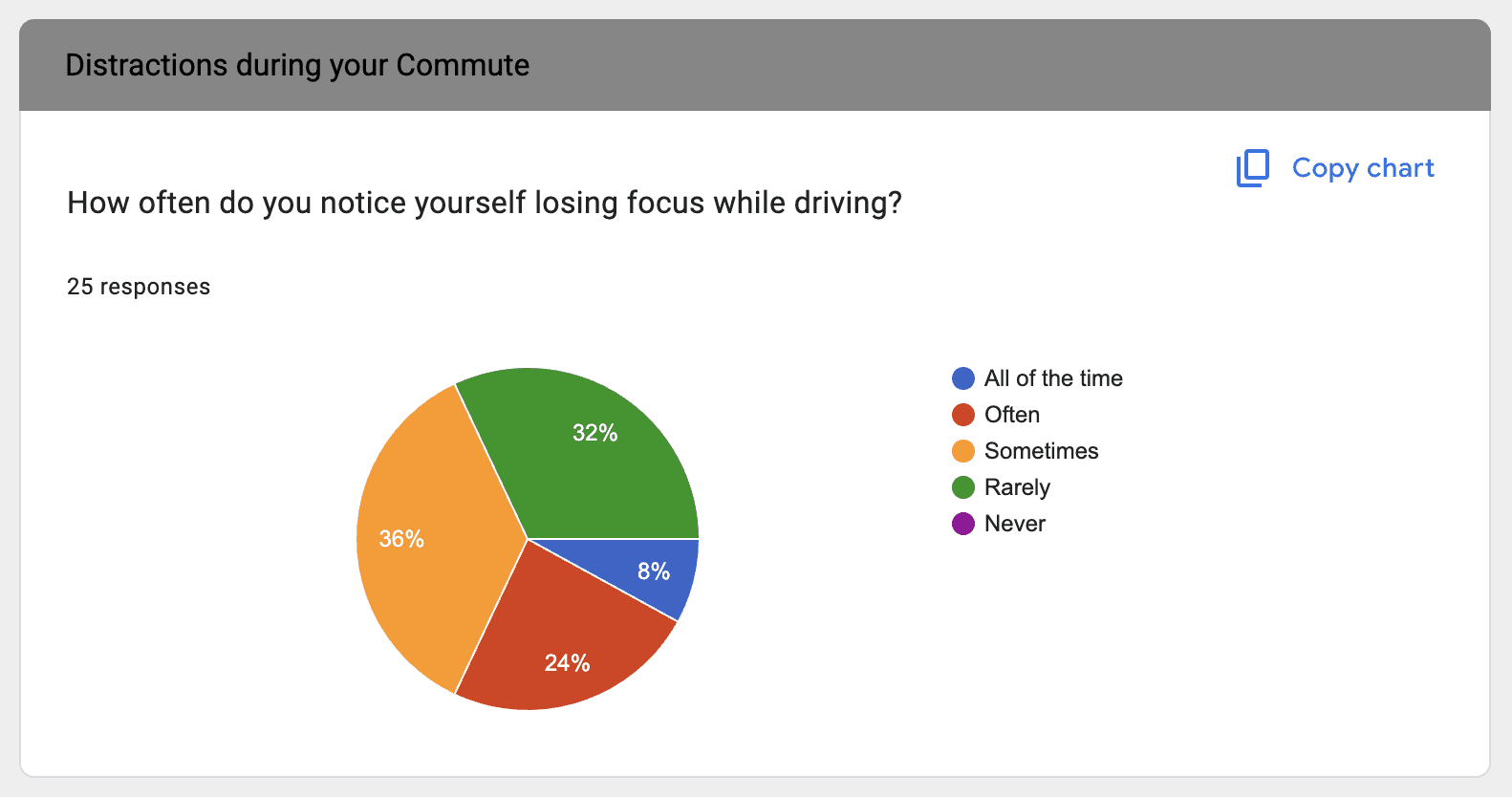
Ideation
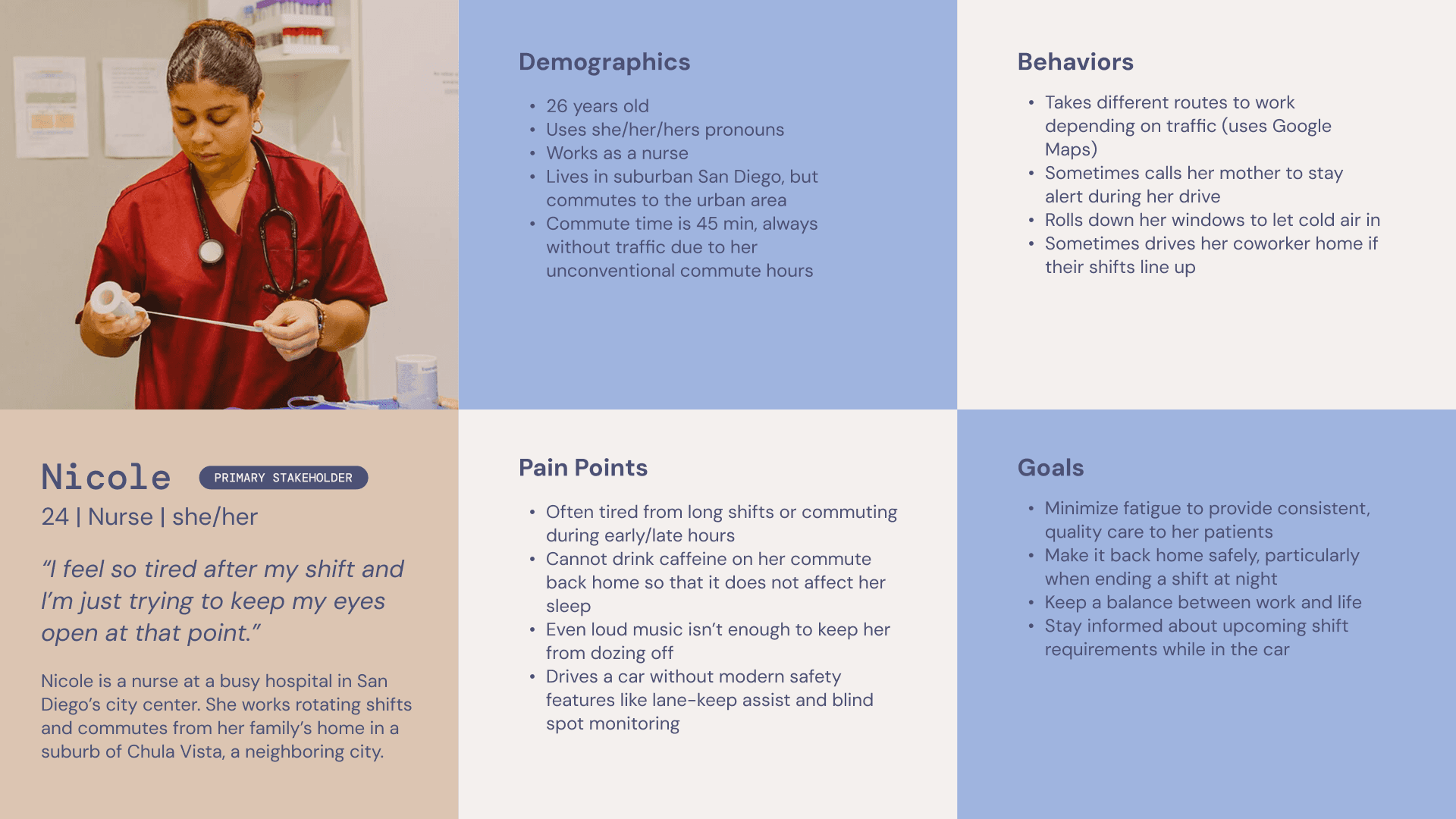
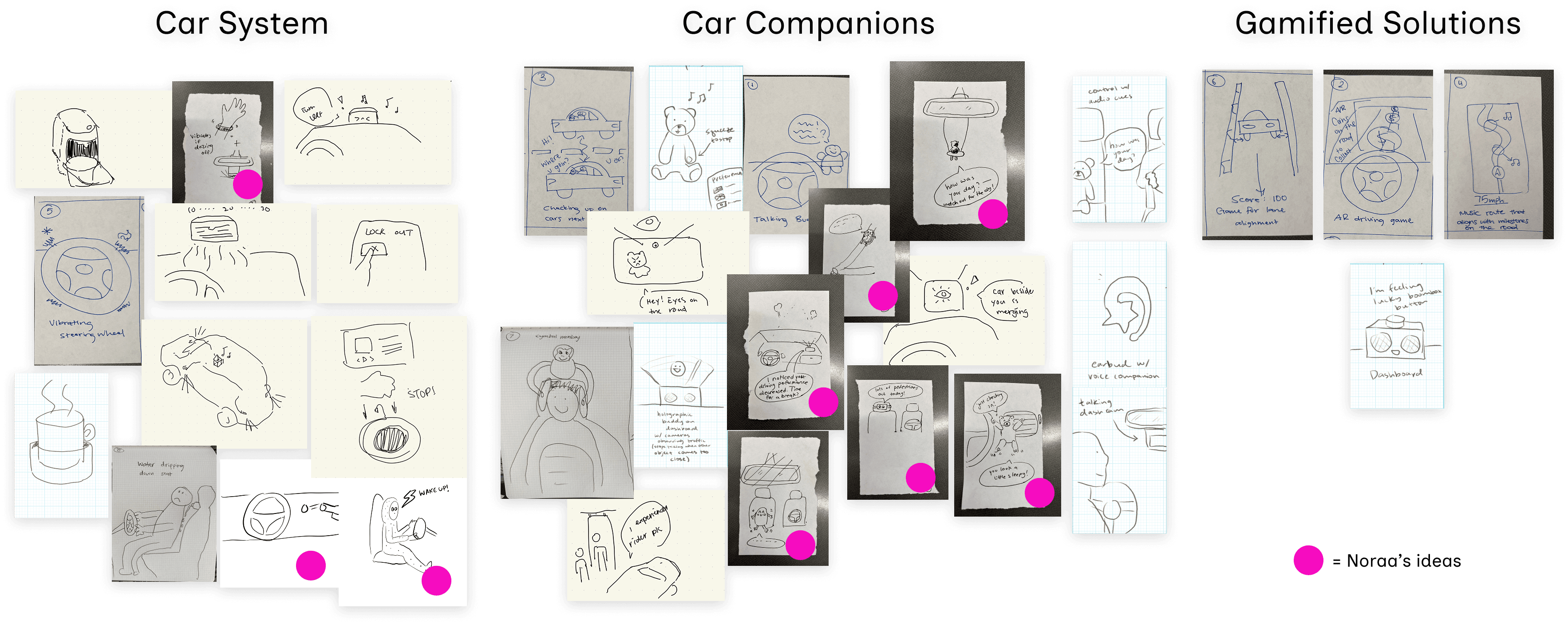
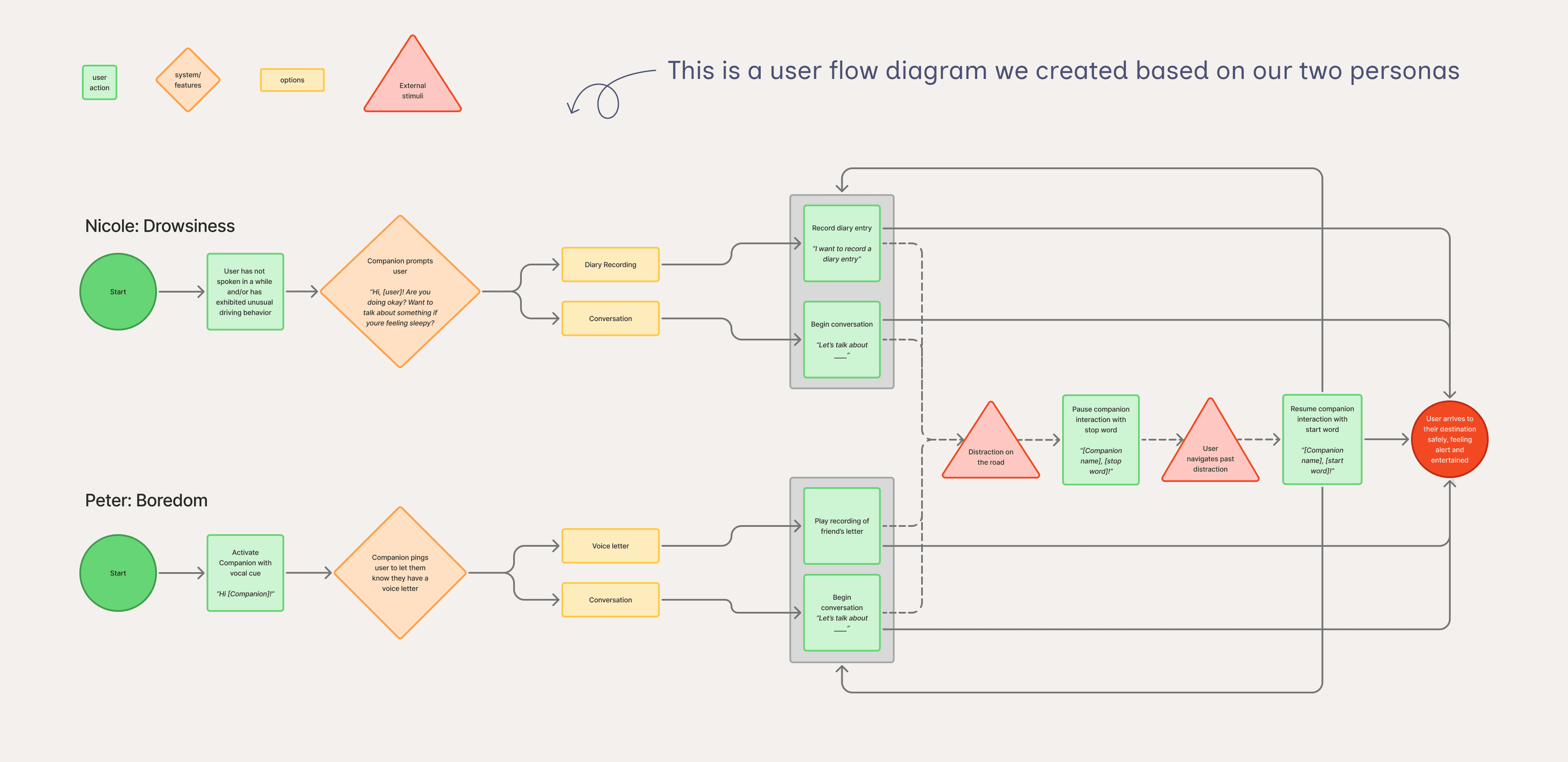
We created two personas (drowsiness and boredom) and used sketches and an affinity diagram to generate concepts. This led us to a physical driving companion with a companion app.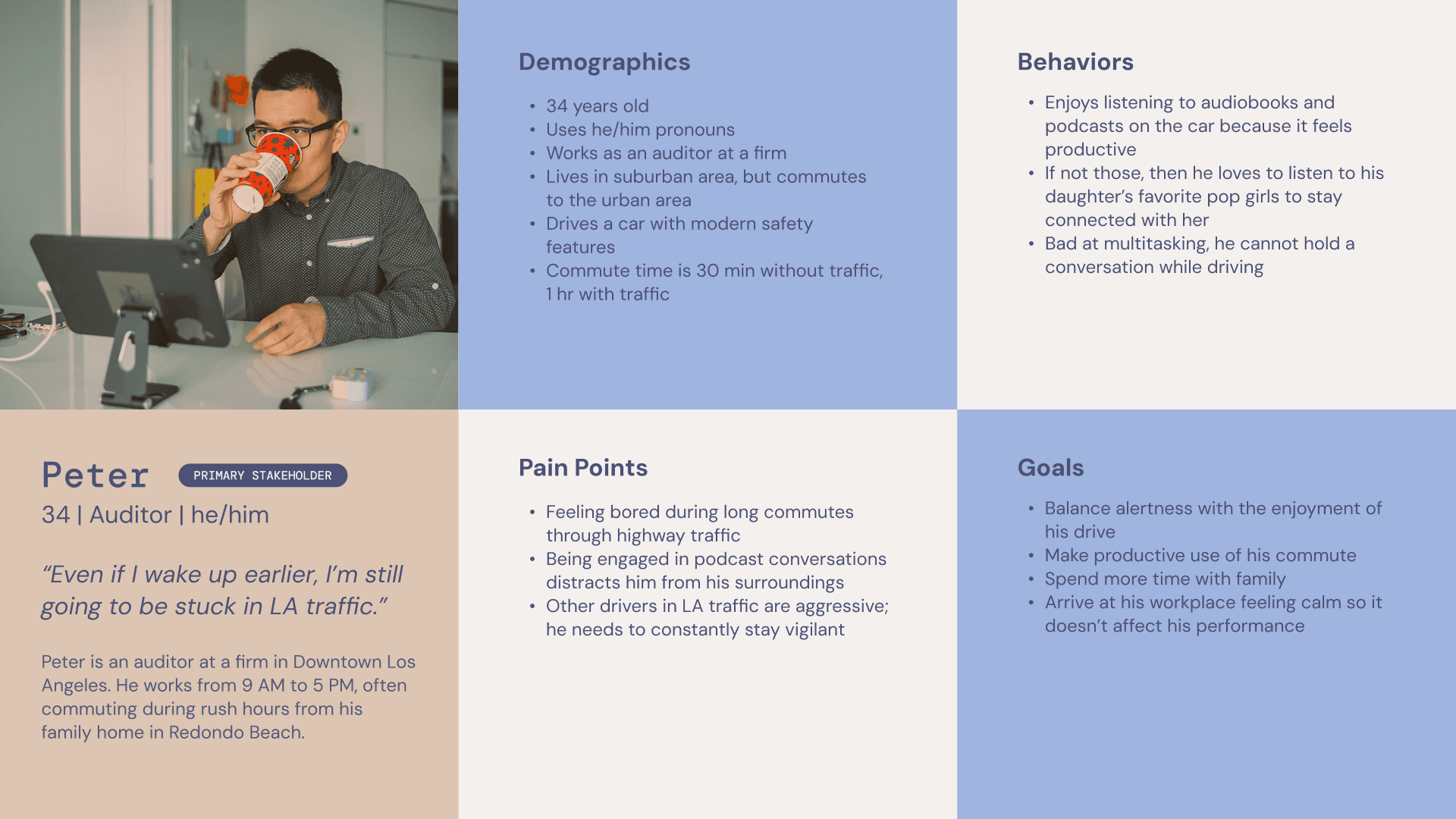
Mid-Fidelity Prototype & Test
Using a cardboard steering setup and plushie with a Wizard-of-Oz phone, we simulated the experience through a POV driving video. Testing revealed users avoided the "diary" function, preferring it for practical tasks like grocery lists. We pivoted to "notebook" language.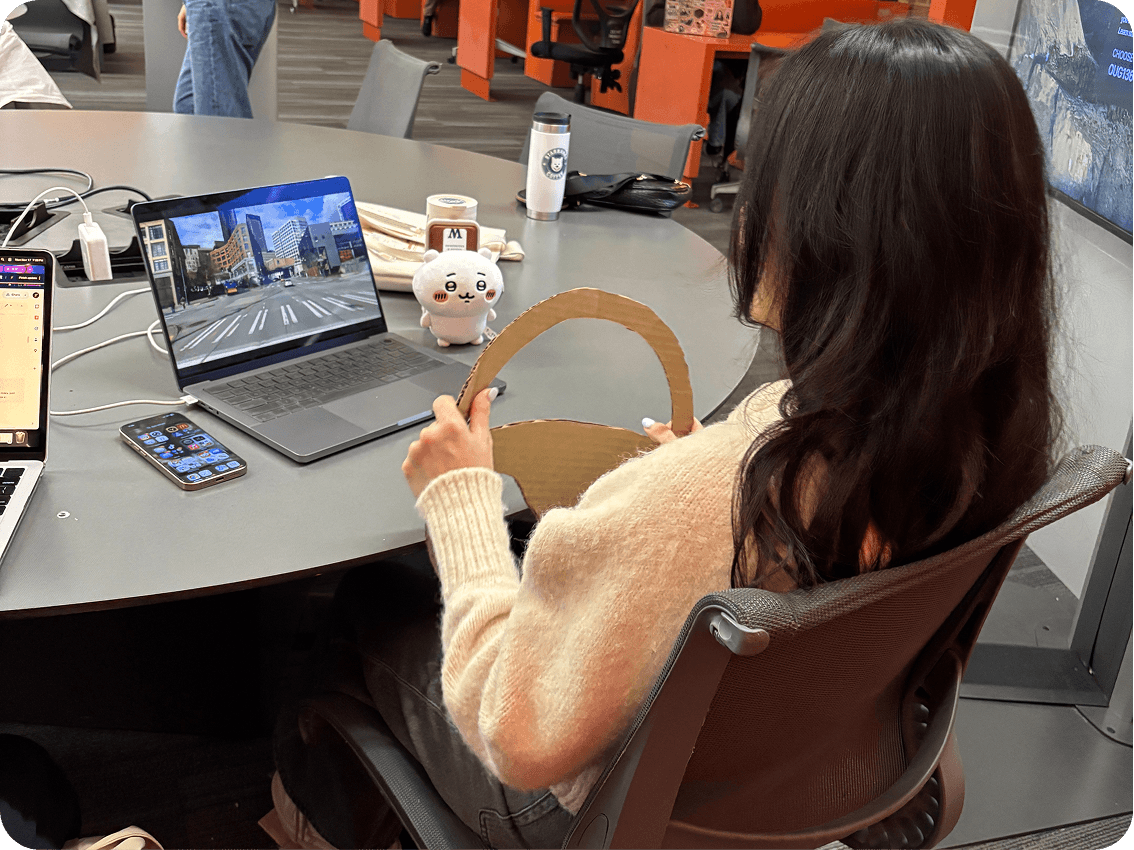
High-Fidelity Prototype & Test
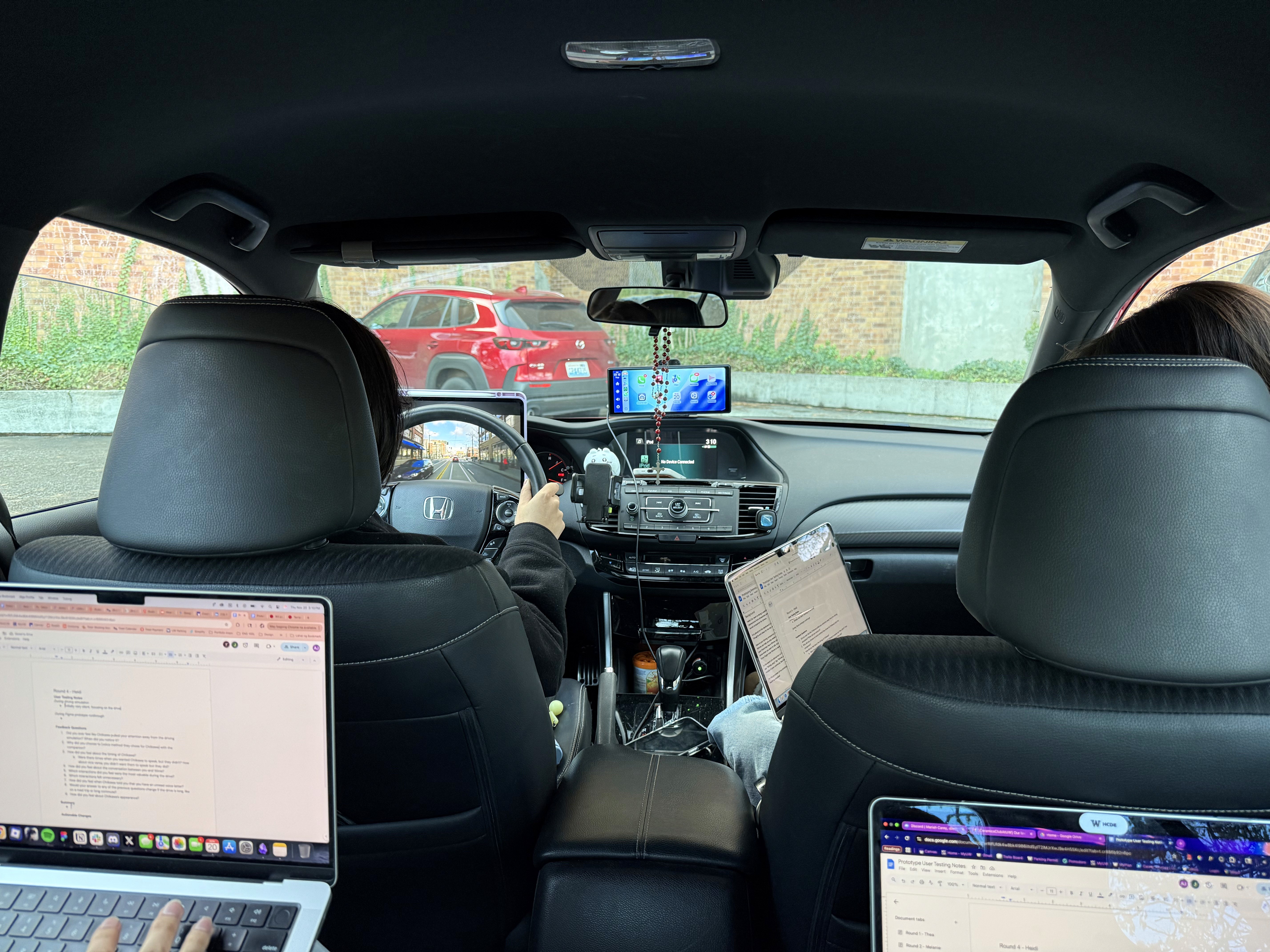
We iterated and tested again in a parked car, learning that users prefer smaller companions to avoid obstructing visibility, integration with car speakers for better sound quality, and phone connectivity for tasks like weather checks and music control. The photo on the left shows our larger prototype; the two on the right show the preferred smaller version in use.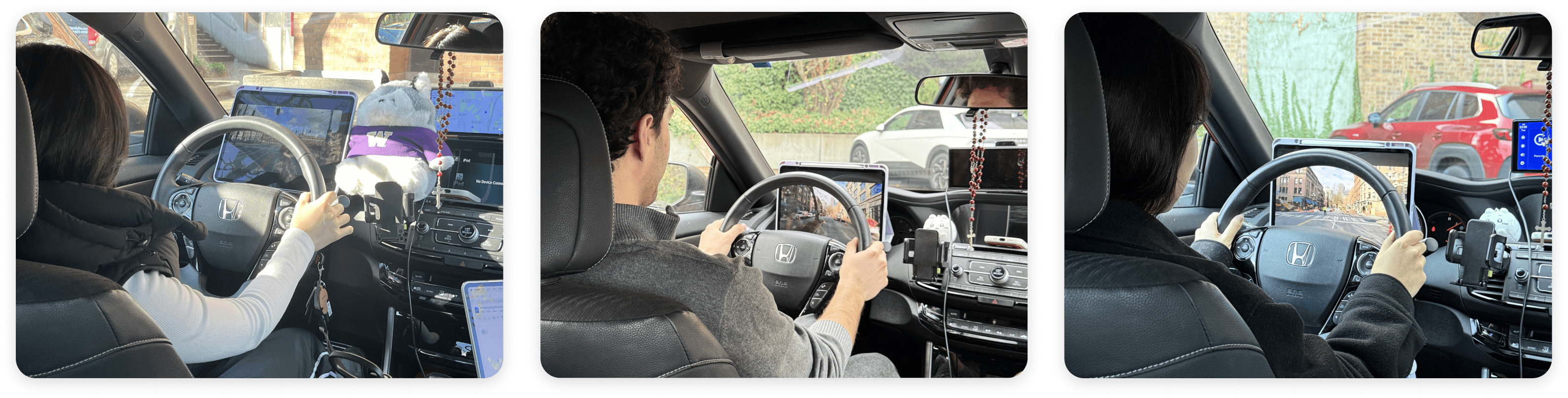
Final Iterations
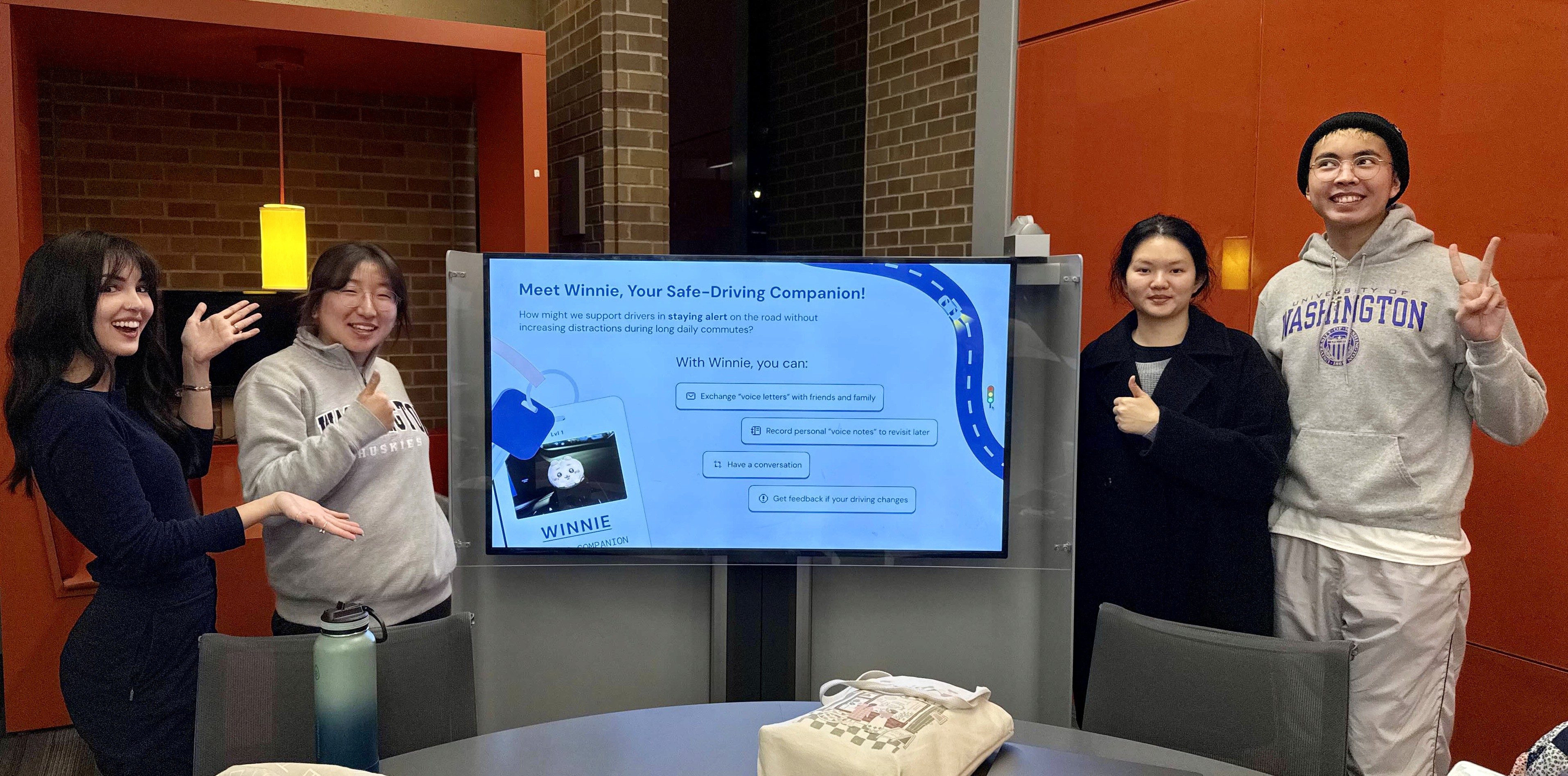
We refined the design based on all the feedback we collected and presented the final prototype at our showcase. (At this time, our companion was called Winnie!)
Outcome
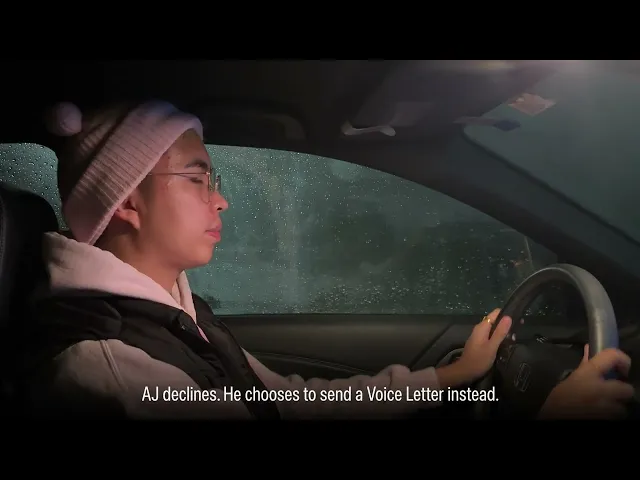
The video above, edited by (and starring!) my teammate AJ Sangle, demonstrates how Tini and the companion app are used, using a stand-in plushie.
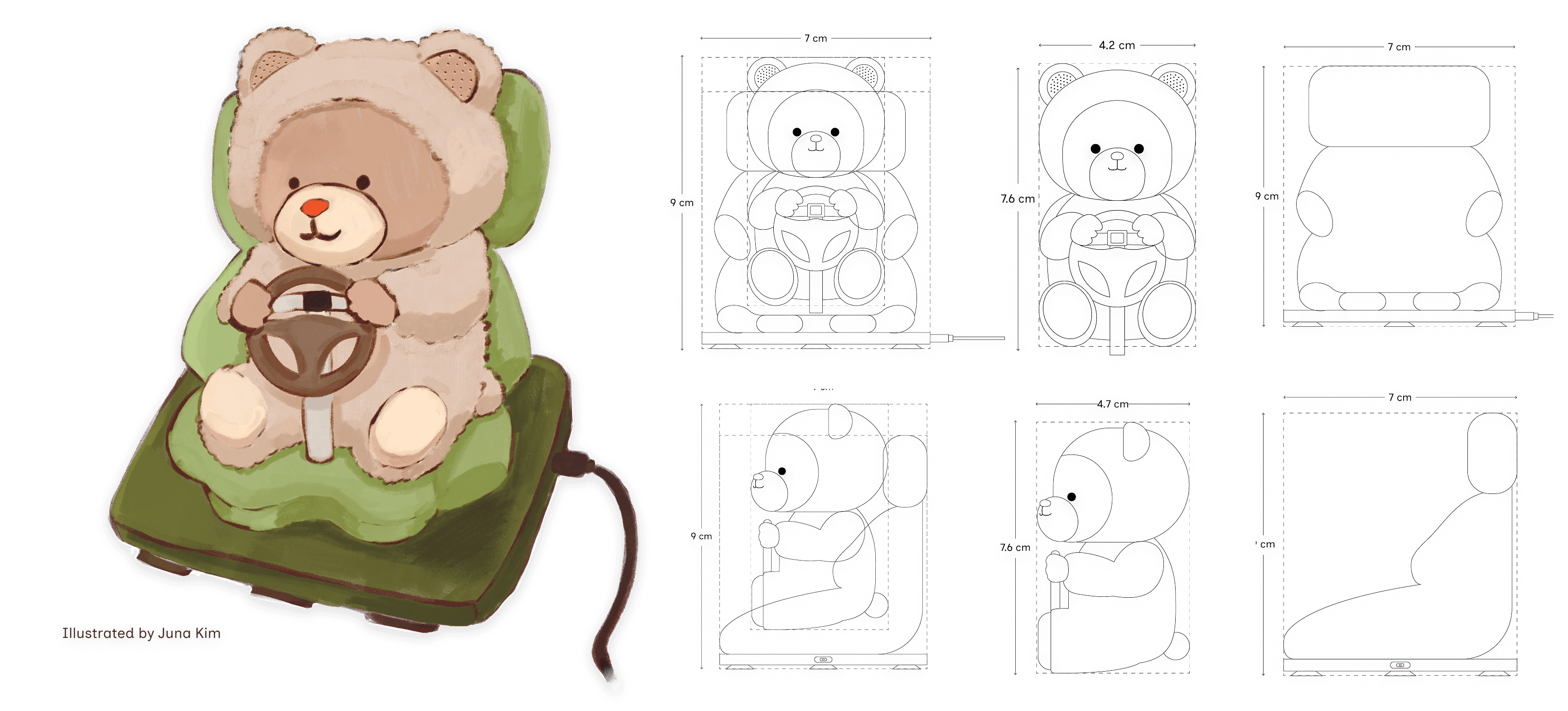
Artifact 1: Physical Companion, Tini
What it is:
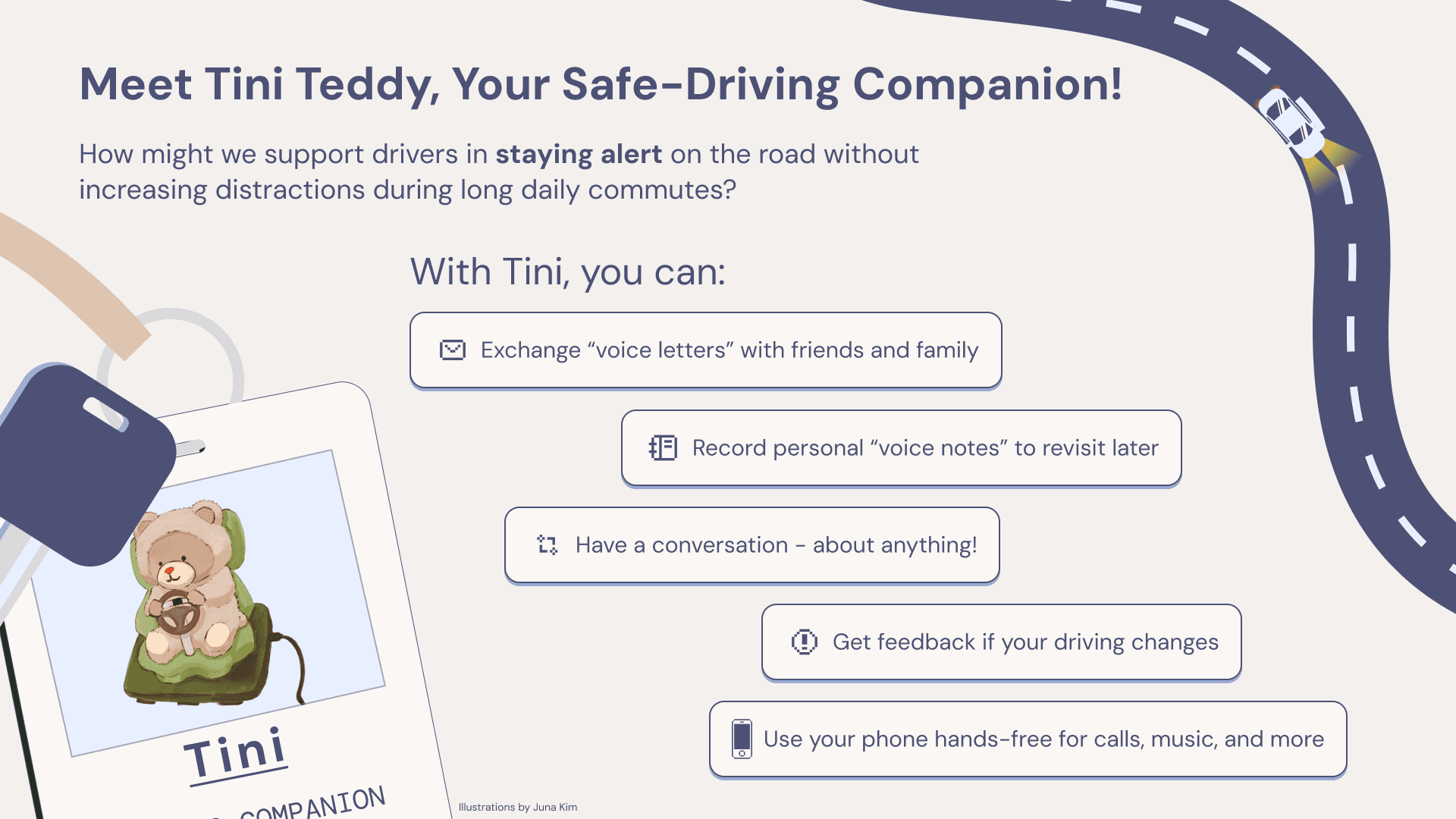
A small, voice-based AI driving companion that keeps drivers alert through conversation prompts, exchanging voice letters with friends, and recording private notebook entries.
Why we created it:
A dashboard companion provided constant visibility and aligned with our finding that drivers feel more responsible when "accompanied." It also met our design constraint: no standalone apps or websites.
How it relates to what came before:
Survey data showed strong reliance on auditory media and talking while driving, supporting an interactive audio companion. Testing revealed users preferred a smaller companion to avoid obstructing their view.
How it relates to what comes next:
Future iterations include refining the form and testing different mounting options (e.g., dashboard vs. vent).
Key learnings:
Balance between entertainment and distraction is critical.
Smaller companions feel safer.
Users want integration with their phone and car speakers.
*Illustrations and physical product specifications were created by my teammate Juna Kim—view her portfolio here.
Artifact 2: Companion App
What it is:
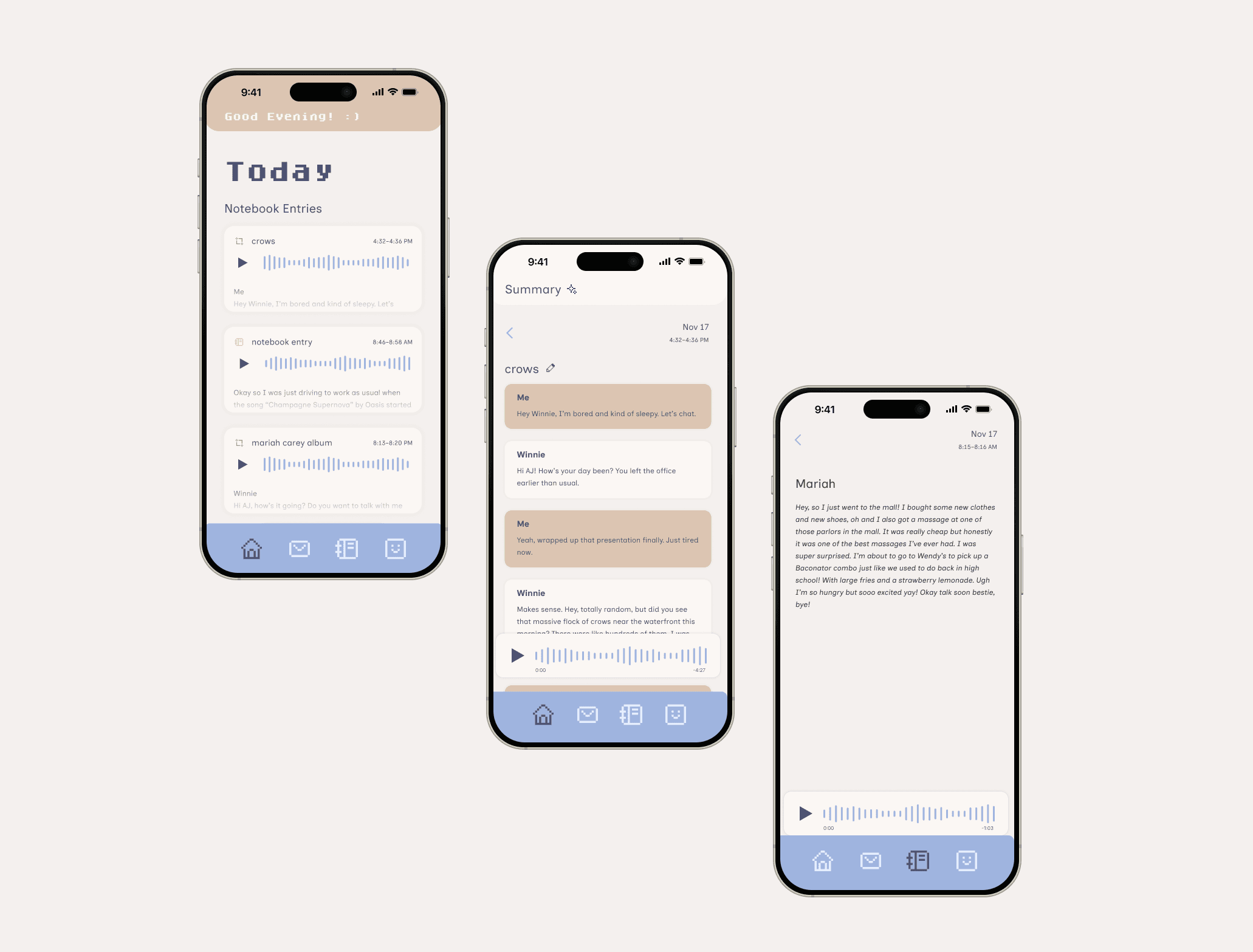
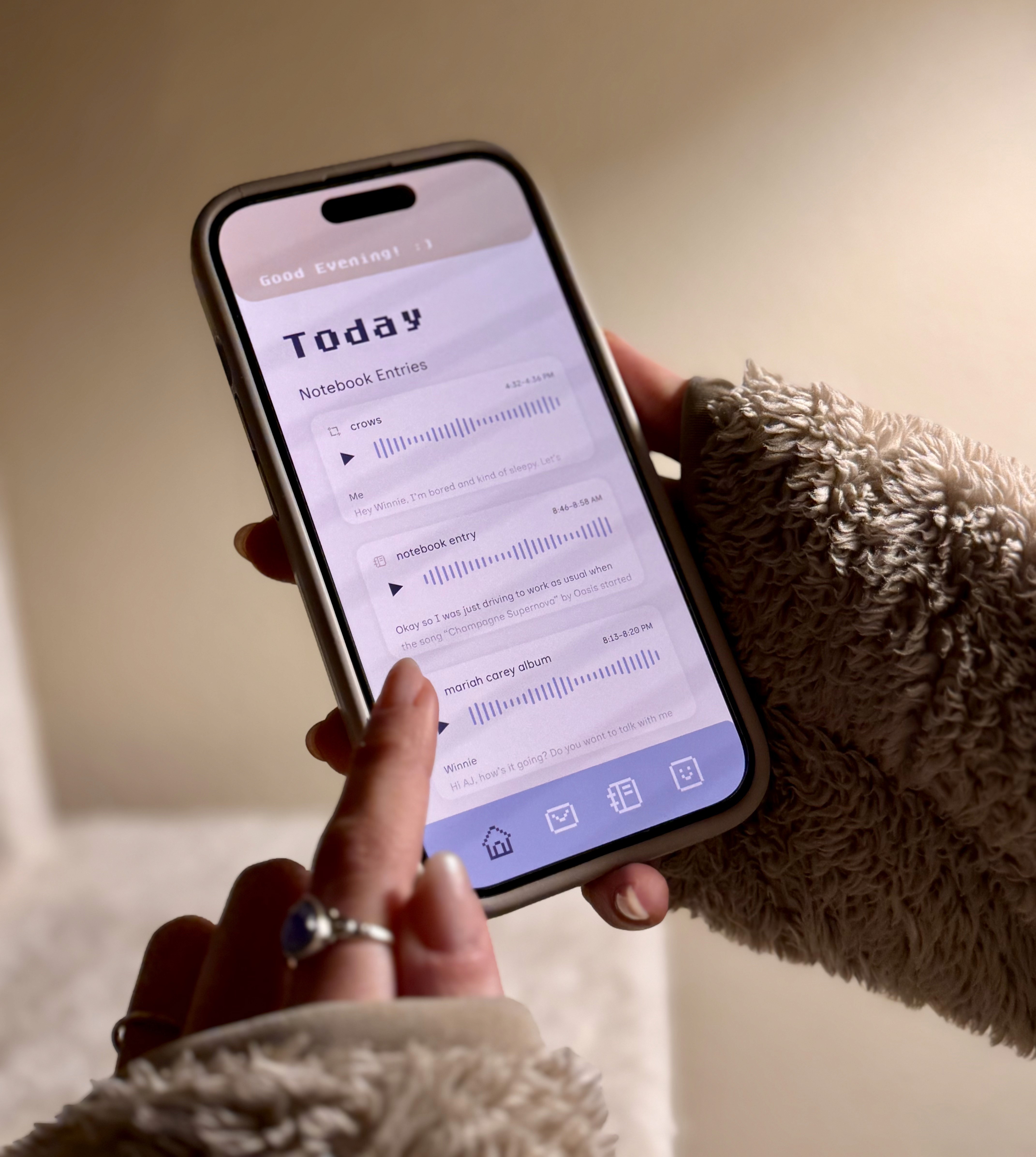
An app that manages Tini’s settings and stores voice recordings, AI summaries, and transcripts.
Why we created it:
To avoid adding a distracting screen, we shifted all advanced controls and other features to the companion app, designed for use only when you’re not driving.
How it relates to what came before:
Existing apps offered partial solutions but lacked the combination of a physical companion, voice-first input, and flexible personal or social uses. Early testing showed the term “Voice Diary” discouraged use; people preferred using it for practical lists, so we shifted to “Voice Notebook” to give users more flexibility.
How it relates to what comes next:
Next steps include designing onboarding to give users clearer control over prompts, preferences, and setup.
Key learnings:
Wording shapes user behavior.
Unimplemented UI elements confuse users during testing.
My Key Contributions
Collaborated on the full product lifecycle from initial research through prototyping, testing, and final presentation
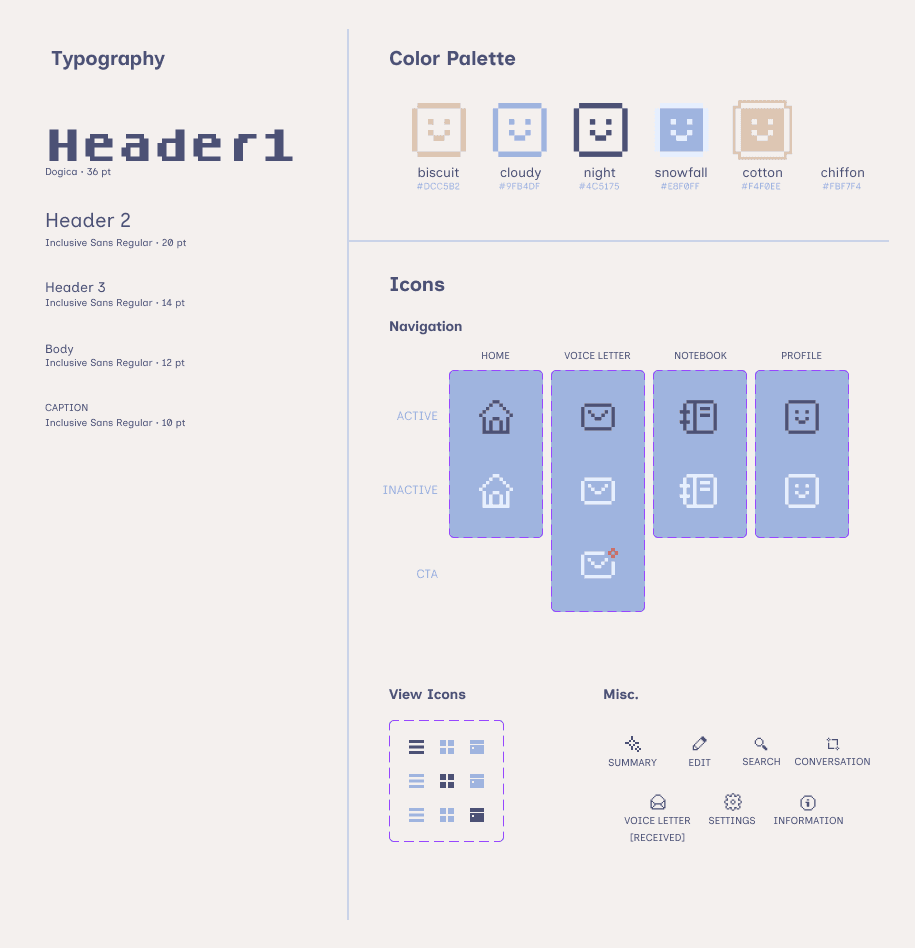
Designed the brand identity including color palette and product naming (Tini)
Conceptualized the voice-based social messaging feature enabling drivers to exchange "voice letters" with friends and family
Conducted 2 in-depth user interviews and documented insights across all testing sessions
Fabricated mid-fidelity prototype materials for user testing and validation
Co-designed the companion app interface and interaction patterns
What I Learned
Design sprints accelerate decision-making and alignment. The time-boxed format forced us to prioritize ruthlessly and move from concept to prototype in days, maintaining momentum and preventing over-analysis.
Iterative testing reveals what users do, not what they say. Mid-fidelity tests uncovered unexpected behaviors—users treating the "diary" as a task list, requesting phone integration—that never surfaced in interviews.
Constraints spark creativity. Being prohibited from designing a standalone app pushed us toward the physical companion concept, a solution we might not have considered otherwise.
Diverse perspectives strengthen outcomes. Collaborating with teammates who brought different strengths—illustration, technical prototyping, video editing—taught me to integrate varied expertise into a cohesive vision.